
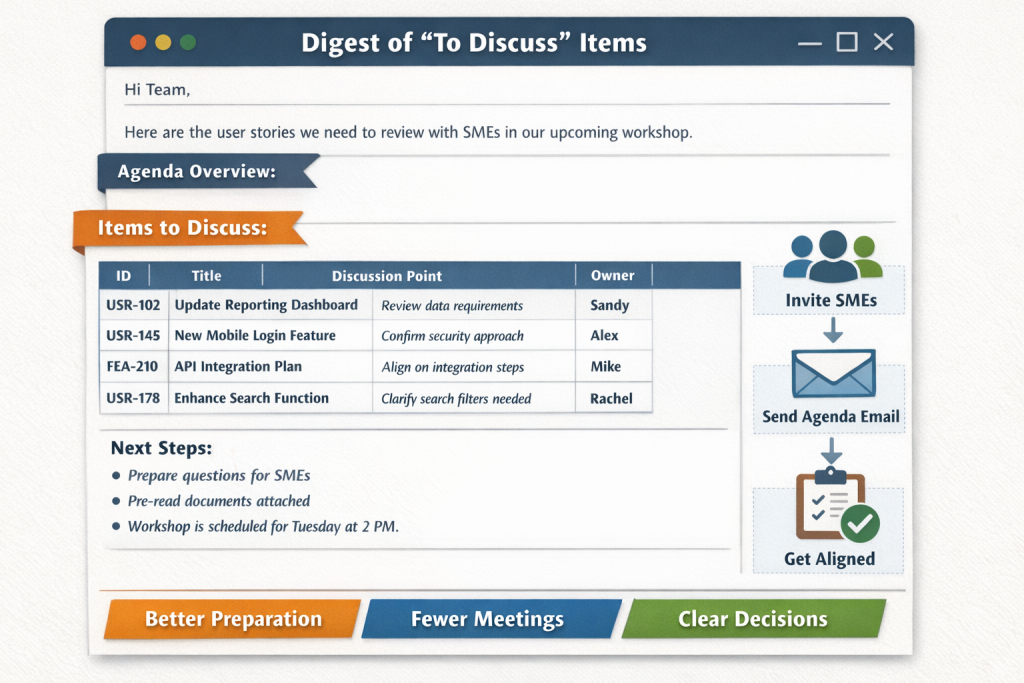
I saw an idea from Dani Kahil that I have found useful – tagging your user stories with ‘to discuss’ so that you know which user stories you need to discuss with SMEs.
If you are running regular stakeholder workshops, the below approach in generating a digest of the ‘to be discussed items’ as an email, reduces the manual work in communicating to the stakeholders which stories you are discussing, what you need next, where you are etc. Stakeholders can use it to helps them include the relevant SMEs, and act as an agenda for your session.
This approach reduces a lot of the manual work in preparing and communicating the items to be covered in the session.
Example email below:
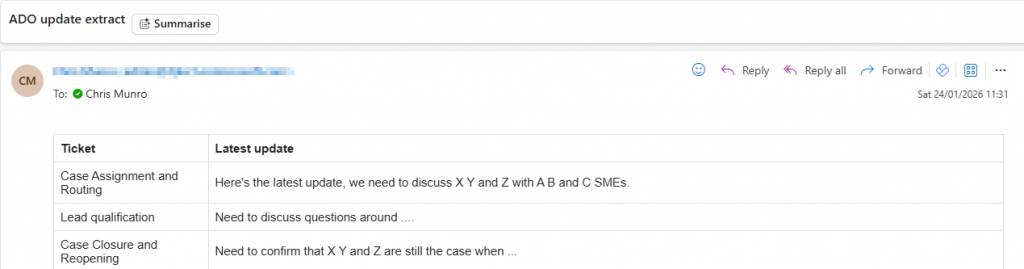
Inbuilt email query
There is an inbuilt email the details of the ADO query that you can also use – this post shows a way of working where you use the discussion comments on the story and want to pick off the last update for your agenda, so you can see the history of the comments, and previous discussions etc. In this case you can see who made the last discussion comment / when.
You could use the inbuild email query without doing this – if you work by e.g. updating only one column with the latest status – you would then need to use the audit history to see how it has changed.
Details
1. Executive Summary (TL;DR)
- Workshops can be challenging due to poor preparation, missing SMEs, and manual coordination, the prep for this can also be a lot of manual work and there’s a risk of missing information
- A simple ‘To Discuss‘ tag + automation creates a repeatable decision workflow
- Outcome: fewer meetings, better decisions, lower coordination cost
2. The Hidden Cost of Traditional Workshop Prep
- Agendas built manually (docs, spreadsheets, memory)
- Right people invited too late — or not at all
- Stakeholders don’t use ADO so information never reaches them
- Prep effort doesn’t scale and relies on individuals
3. ‘To Discuss’ tags
- Introduce a lightweight ‘To Discuss’ tag on backlog items
- Tag explicitly signals:
- Stakeholder input required
- A decision or clarification is blocked
- Discussion intent is separated from delivery state
Why tags (not states)?
- Zero disruption to existing delivery workflows
- Supports multiple discussion contexts
- Easy to query, automate, and retire
4. End-to-End Workflow Overview
- Team tags work items with ‘To Discuss’
- Azure Boards query surfaces tagged items
- Automation extracts:
- ID & title
- Owner
- Area / iteration
- Latest comment
- Items rendered into a table
- Email digest sent as:
- Workshop agenda
- Pre-read
- SME invitation trigger
5. Designing the Azure Boards Query
- Filters:
- Work item type (e.g. User Story, Feature)
- Tag contains “To Discuss”
- Optional: area path, iteration, state
- Sorting:
- Last updated or priority
- Prevents:
- Stale discussion items
- Bloated agendas
6. Why the Latest Comment Matters More Than the Description
- Use a way of working where the latest comment = details of the next steps to progress the story, which questions outstanding etc
- Enables:
- Async clarification before workshops
- Faster alignment
- Less meeting time wasted on re-explaining context
7. The Email Digest as a Living Agenda
- Email over ADO links because:
- Stakeholders often used to working in email
- No tool access required
- Creates a one page agenda
- Easy to forward to SMEs, and they can forward to attendees they invite
- Suggested table columns:
- ID
- Title
- Discussion prompt (latest comment)
- Owner
Result:
Agendas update themselves.
I cover the Power Automate flow which implements this approach in this post: https://chrismvnro.com/using-to-discuss-tags-in-azure-devops-to-run-better-stakeholder-workshops-part-2/