
If you need to create a record with a specific Id then you can do this with XrmToolBox, if you can’t use that on your environment, or you want to save having to open the toolbox then you can try the below options.
Pasting JavaScript into the console
edit the below snippet, press F12 and paste the edited version in the console to create the record.
Either set the entityType variable to the schema name of the table, or open an existing record and use the below.
The data variable has the JSON definition needed to create the record and set the Id, you can add other properties here too.
cm_name is a column on my table with schema name cm_instructor
cm_instructorid is the primary key / id so replace with the corresponding column of your table
Use below if you just open D365 app and open the form of an existing record in the table that you wish to create record with specific Id and press F12 and paste into the console.
//Use this if you open record in the same table and press F12 and edit and paste into console.
var data =
    {
        "cm_name": "Mona Lisa Vito",
        "cm_instructorid": "52e93d4a-d12e-f111-88b4-7ced8db76021"
    }

//Open existing record of the same table you want to create
var entityType = Xrm.Page.data.entity.getEntityName();


Xrm.WebApi.createRecord(entityType, data).then(
    function success(result) {
        console.log("Success");
    },
    function (error) {
        console.log(error.message);
    }
);
Use below if you just open D365 app and specify the table schema name in a variable and press F12 and paste into the console (don’t need to open the form of an existing record)
var data =
    {
        "cm_name": "Mona Lisa Vito",
        "cm_instructorid": "52e93d4a-d12e-f111-88b4-7ced8db76021"
    }

//Type in schema name manually
var entityType = "cm_instructor"

Xrm.WebApi.createRecord(entityType, data).then(
    function success(result) {
        console.log("Success");
    },
    function (error) {
        console.log(error.message);
    }
);
Create a Power Automate flow to create records via the Web API
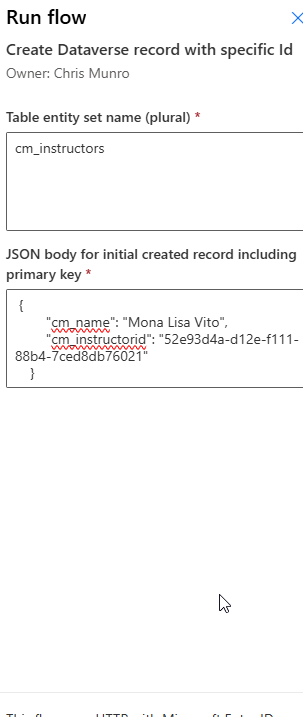
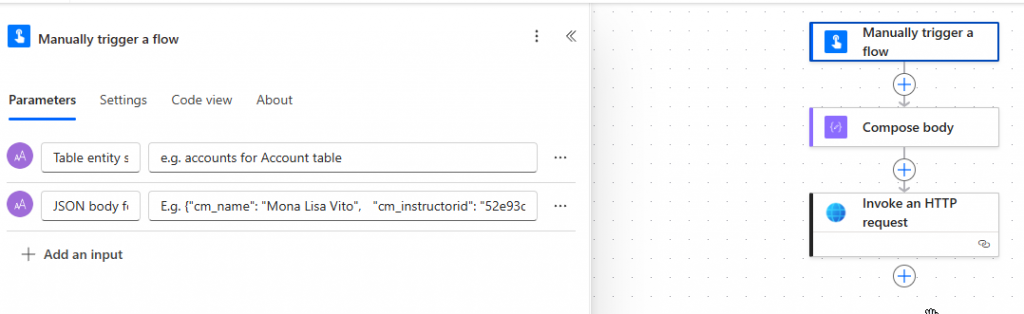
We can create an on demand flow like the below with two inputs, the entity set name for the table, and the JSON body for the initial record to be created, including the id column. So for my cm_instructor table that is cm_instructorid
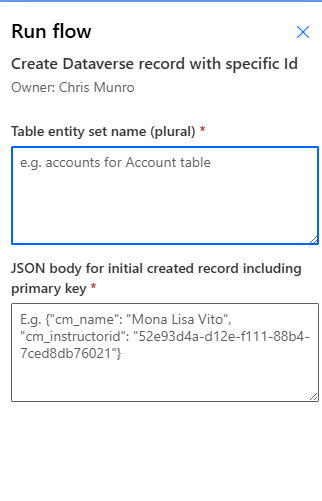
To achieve the above I just run the flow with the below inputs:
The flow is created as below:
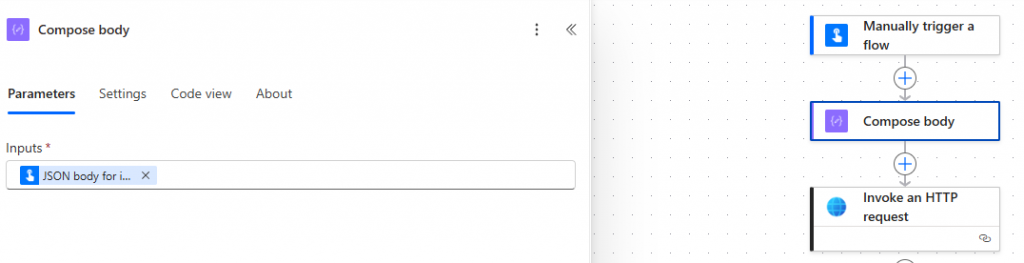
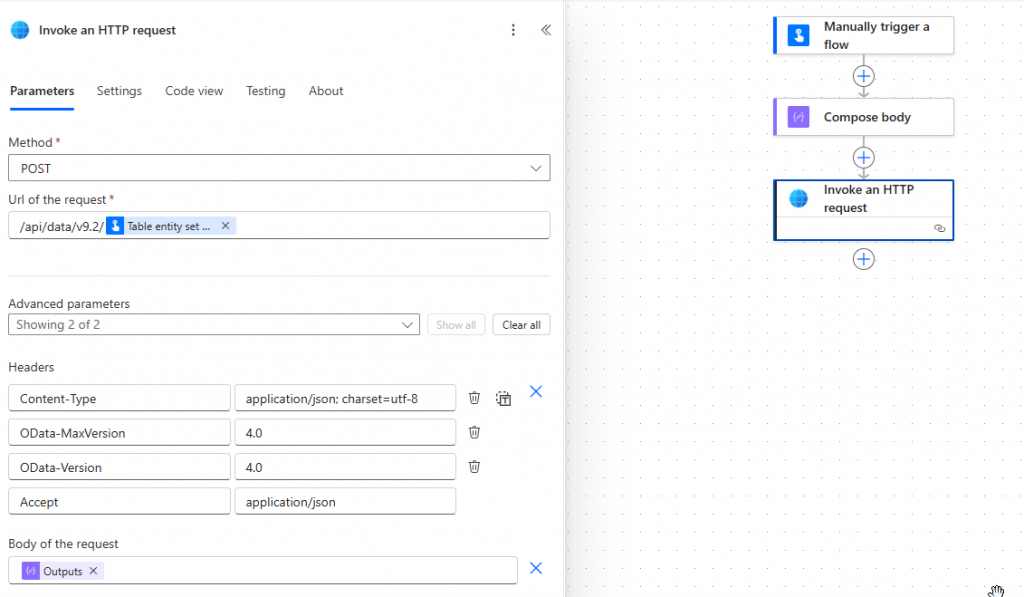
You can copy the header detail text from here: https://learn.microsoft.com/en-us/power-apps/developer/data-platform/webapi/create-entity-web-api#basic-create